
A customer signs up, receives an OTP, gets an order update by SMS, then switches to WhatsApp when they need help. To the customer, these are simply different parts of the same experience. Behind the scenes, Communications Platform as a Service (CPaaS) can connect them all.
So, what is CPaaS, and what should you look for in a CPaaS platform in Singapore?
CPaaS, or Communications Platform as a Service, lets you add communications such as SMS, voice, WhatsApp and video to your applications and customer journeys through APIs. Instead of building and maintaining communications infrastructure yourself, you can connect these capabilities to the applications and systems you already use.
For businesses in Singapore, CPaaS can support everything from OTP verification and transactional SMS to customer service conversations, appointment reminders and programmable voice. The right platform depends on the channels you need, the markets you operate in, your technical requirements and the level of support you expect from your provider.
What Is CPaaS?
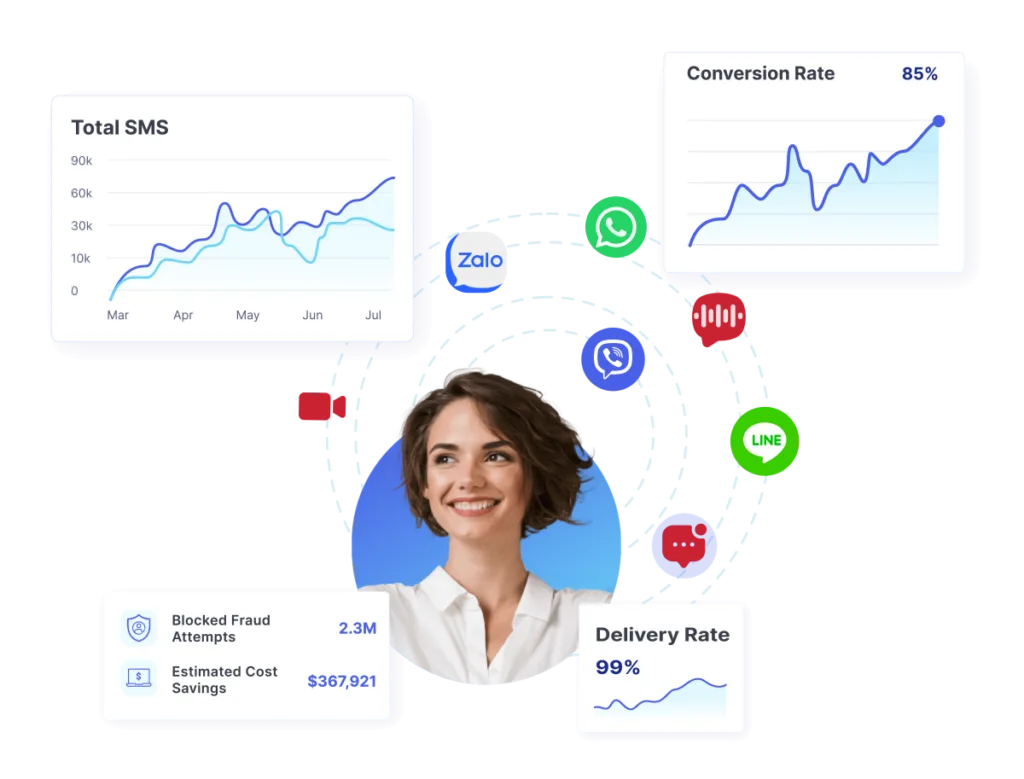
CPaaS provides communications capabilities through APIs and developer tools, allowing you to build messaging and other interactions into your own applications, websites and workflows.
The “communications” part can include channels such as:
- SMS and two-way messaging
- WhatsApp and other messaging channels
- Voice and programmable calling
- Video
- User verification and authentication
The “platform as a service” part means you do not need to build the underlying communications infrastructure yourself. Instead, your developers can connect your application to a CPaaS provider’s APIs and use the communications capabilities provided through that platform.
For example, when a customer signs up for your application, you could use a CPaaS verification API to send a code to their phone. When they complete a purchase, the same application could trigger an SMS confirmation. If the customer needs help, you could move the interaction to WhatsApp or another supported channel.
CPaaS therefore sits between your applications and the communication channels your customers use.
See Ebook: From OTP to Loyalty: The Complete Lifecycle of a CPaaS-Enabled Customer Journey
How Does CPaaS Work?
A CPaaS integration typically connects an event in your application to a communication or customer interaction.
1. Your application triggers an event
This could happen when a customer:
- creates an account
- places an order
- books an appointment
- makes a payment
- requests support
- needs to verify their identity
Your application sends the relevant request to the CPaaS platform through an API.
2. The CPaaS platform handles the communication
The platform manages the communication through the selected channel, whether that is SMS, WhatsApp, voice or another supported service.
Depending on the provider and use case, this can involve routing, authentication, delivery management and other communications infrastructure.
3. Your customer receives the communication
The customer receives the notification, verification message or other interaction through the channel you’ve selected.
For some use cases, you can also configure alternative channels or fallback options if the preferred method is unavailable or unsuccessful.
4. The result can feed back into your systems
CPaaS isn’t necessarily a one-way process. Delivery events, customer replies and other communication events can be sent back to your application through webhooks or APIs.
This means your systems can respond to what happens next.
For example, an application could record whether an SMS was delivered, trigger another action when a customer replies, or move a verification workflow to another channel when the first attempt is unsuccessful.
What Can Singapore Businesses Do With CPaaS?
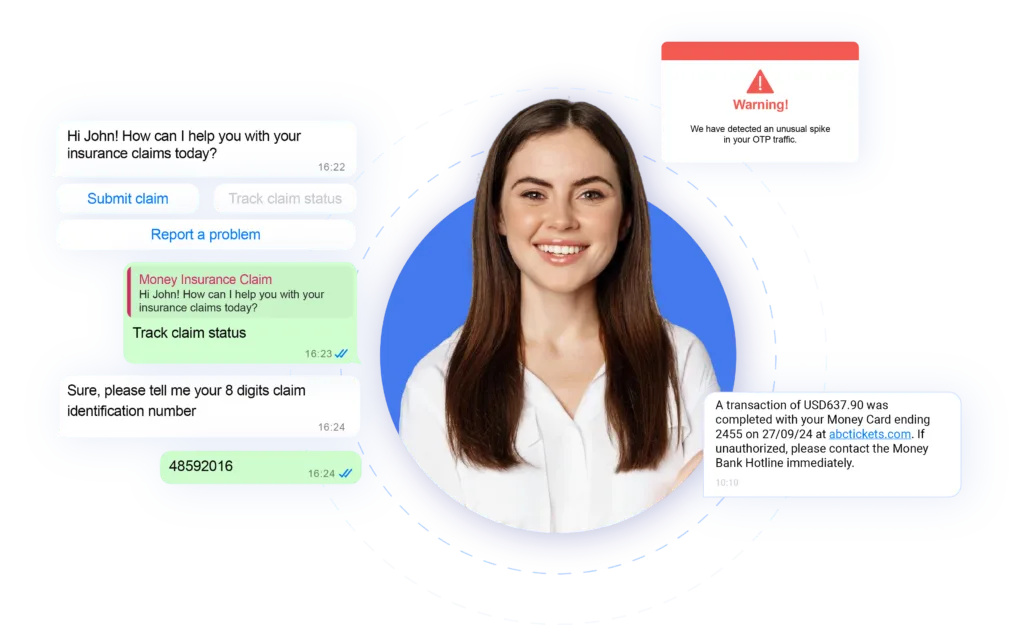
CPaaS can be used wherever communications need to become part of an application or customer journey.
-
Customer notifications
You can use CPaaS to connect routine notifications directly to events in your application.
For example, an e-commerce platform could automatically send an order confirmation after checkout, followed by delivery updates as the order progresses. A healthcare or service business could trigger appointment reminders from its booking system.
The communication happens as part of the existing workflow rather than requiring someone to send each message manually.
-
Verification and authentication
CPaaS can also support sign-ups, logins, account recovery and other workflows where you need to verify a user.
Depending on the platform, you may be able to send verification requests through SMS, voice, WhatsApp or other channels. Some providers also support alternatives such as silent or network-based authentication.
This gives you more options when a standard SMS verification flow isn’t the best fit for your application or your customers.
-
Customer conversations
Not every customer interaction ends with a notification.
If you need customers to reply, CPaaS can connect two-way messaging with your applications or customer service workflows. A business might send an appointment reminder by SMS, for example, then allow the customer to respond or continue the conversation through a supported messaging channel.
-
Programmable voice and video
CPaaS can also bring voice and video into applications.
You could use programmable voice for automated calls, IVR or call flows, or add browser-based video to a support or consultation journey without requiring customers to install a separate application.
-
Expand across markets
A CPaaS platform can give you access to communications infrastructure across multiple countries without requiring you to build separate systems for every market.
-
Add capabilities over time
You might start with SMS and later add WhatsApp, voice, video or additional verification methods as your customer journeys evolve.
The value is therefore less about having more communication channels for their own sake and more about being able to connect those channels to the way your business already works.
See Ebook: CPaaS: The Ultimate Integrator for Revolutionizing Business Communications
What Are the Main Components of a CPaaS Platform?
CPaaS platforms can differ considerably in their scope. Some focus mainly on messaging APIs, while others bring together messaging, voice, video, verification, fraud protection and customer engagement tools.
| CPaaS Capability | Business Function |
| Messaging APIs | Send and receive SMS and other messages from applications |
| Voice APIs | Add programmable calls, IVR and other voice workflows |
| Verification APIs | Build authentication and verification into applications |
| WhatsApp and rich messaging | Support richer, two-way customer interactions |
| Video APIs | Add real-time video to applications and support journeys |
| Webhooks | Send delivery and communication events back to your systems |
| SDKs and developer tools | Help developers integrate and test communications |
| Analytics and reporting | Monitor delivery, engagement and communication activity |
| Fraud protection | Identify and respond to suspicious messaging and verification activity |
Your business may not necessarily require all of these capabilities. The important question is whether the platform provides the ones that match your current use cases while giving you room to add others later.
The next step is understanding which type of communications platform best fits your needs. CPaaS, UCaaS and CCaaS may share some capabilities, but each is designed for a different purpose.
CPaaS vs UCaaS vs CCaaS: What’s the Difference?
CPaaS, UCaaS and CCaaS all involve business communications, but they solve different problems.
- CPaaS (Communications Platform as a Service) is a cloud-based model that lets businesses add communication features like voice, video, and text directly into their own apps and websites using APIs.
- UCaaS (Unified Communications as a Service) is focused on employee communication and collaboration, bringing voice calling, video conferencing, team chat, and file sharing into a single platform.
- CCaaS (Contact Centre as a Service) is a cloud-based software model that allows businesses to manage customer service and support interactions through a subscription rather than expensive on-premises hardware.
| CPaaS | UCaaS | CCaaS | |
| Primary Purpose | Build communications into applications | Connect employees and teams | Manage customer interactions |
| Main Users | Developers, product and digital teams | Employees and internal teams | Contact centre and customer service teams |
| Typical Channels | SMS, WhatsApp, voice, video, verification | Voice, meetings, messaging and collaboration | Voice, chat, SMS, WhatsApp, email and other customer channels |
| Typical Use Cases | OTPs, notifications, embedded messaging | Internal calls and meetings | Customer service and support |
| Integration Focus | APIs, SDKs and webhooks | Business productivity tools | CRM, ticketing and contact-centre systems |
CPaaS vs UCaaS
The simplest distinction between these is customer-facing applications versus internal employee communications.
If you need to add an OTP to your mobile app, trigger an SMS from your booking system or embed WhatsApp into a customer journey, you’re looking at a CPaaS use case.
If you need employees to make calls, hold meetings and collaborate internally, UCaaS is more relevant.
CPaaS vs CCaaS
CPaaS and CCaaS can overlap because both can involve customer communications.
The difference is generally where the communication sits in the workflow. CPaaS gives you the APIs and infrastructure to build communications into your own applications and processes. CCaaS provides the environment for customer service teams to manage interactions, including agent workspaces, queues, routing and customer histories.
For example, you could use CPaaS to trigger an SMS from your application and CCaaS to manage the conversation if the customer replies and needs assistance from an agent.
Can You Use CPaaS, UCaaS and CCaaS Together?
Yes. The three aren’t necessarily alternatives.
A business could use CPaaS to power customer communications within its applications, CCaaS to manage customer service interactions and UCaaS for internal employee communications.
This is particularly relevant if your communications requirements span both customer-facing applications and internal teams.
This is also where 8×8 CPaaS’s broader communications portfolio comes into play. The company has been named a 2026 MetriStar Top Provider for CPaaS by Metrigy, an independent research and advisory firm focused on customer experience, workplace collaboration and AI.
The recognition was based on Metrigy’s Customer Experience MetriCast 2026 study, which highlighted 8×8 CPaaS among a unique group of providers offering CPaaS, CCaaS and UCaaS within a single platform.
This reflects a broader approach to CPaaS: rather than treating it only as a developer toolkit for messaging APIs, 8×8 positions CPaaS as a programmable layer that can connect customer communications with the wider CX stack, including sales, field service and frontline teams.
In practical terms, this means a business can use different parts of the communications stack for different purposes while keeping them within the same broader platform. CPaaS can power application-driven communications, CCaaS can support customer service teams, and UCaaS can connect employees internally.
How Do I Evaluate a CPaaS Platform in Singapore?
Once you understand what CPaaS does, the next question is how to choose a platform. Channel count and headline pricing are useful starting points, but they shouldn’t be the only factors you consider.
1. Channel coverage
Start with the communications your customers actually need.
Consider whether you need:
- SMS
- RCS or other messaging channels
- Voice
- Video
- Verification
- Two-way conversations
You should also check whether the channels you need are available in your target markets. A provider may support a channel globally while offering different capabilities or availability in individual countries.
2. Singapore and APAC coverage
If you’re operating in Singapore, look beyond global coverage figures.
Consider the provider’s connectivity in Singapore, Sender ID support, local registration requirements and ability to support the other APAC markets you may expand into.
This becomes particularly important if you expect your messaging programme to move beyond Singapore. Having to change providers or rebuild integrations as you enter new markets can add unnecessary work.
3. APIs, SDKs and integration options
A CPaaS platform needs to work with your existing technology stack.
Look at the quality of the API documentation, SDK availability, authentication methods, webhooks, testing tools and integration options.
It’s also worth considering how easily you can connect communications with your CRM, contact centre or other business systems.
The question isn’t simply whether a provider has an API. It’s how practical that API is for your developers to build, test and maintain.
4. Reliability and routing
Communications are often tied to time-sensitive customer journeys, so delivery matters.
When comparing platforms, consider:
- network and carrier coverage
- routing capabilities
- redundancy
- fallback options
- delivery reporting
- service availability
If an OTP doesn’t arrive or a critical notification fails, the effect can extend beyond the message itself. Your customer may abandon a sign-up, miss an appointment or contact your support team instead.
5. Security and fraud protection
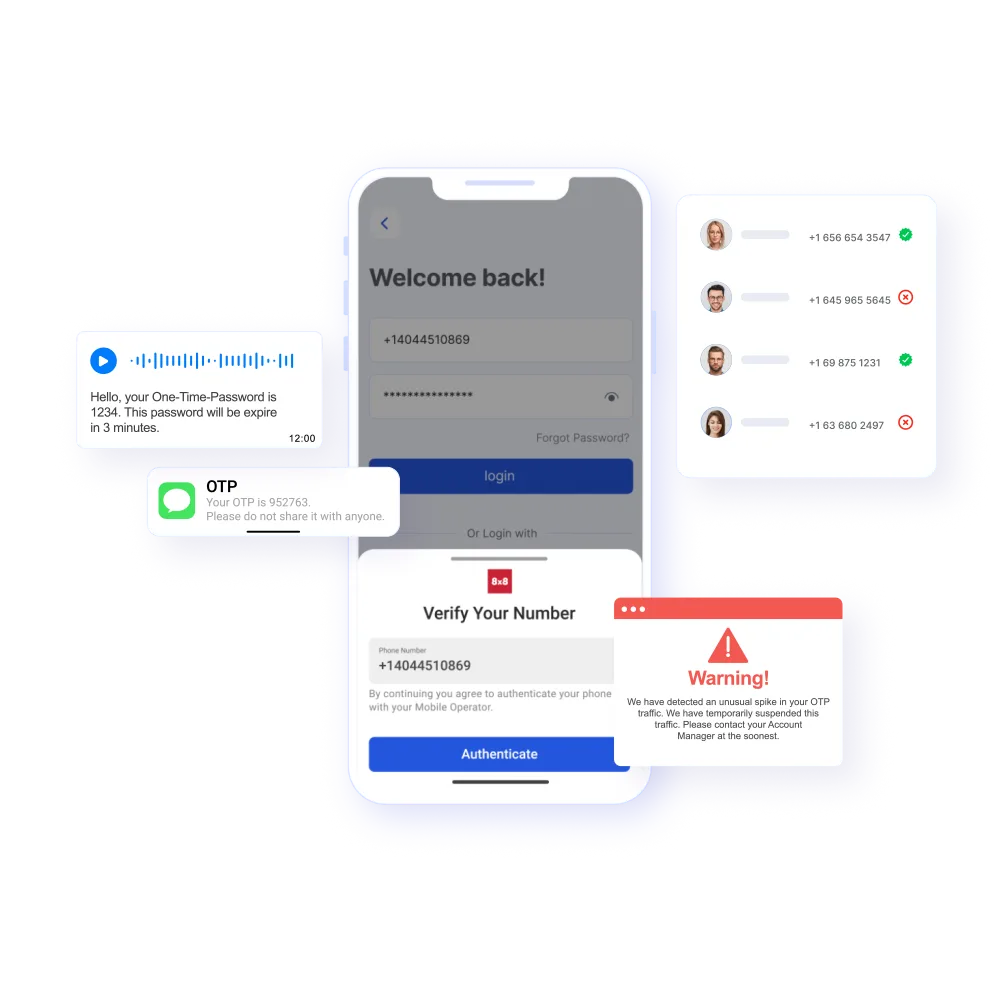
Security is another area where CPaaS providers can differ.
For high-volume messaging and verification, look for controls that can help identify or prevent:
- SMS pumping
- Artificially Inflated Traffic (AIT)
- Suspicious verification requests
- SIM-swap-related risks
- Unusual traffic patterns
This is particularly relevant when you use SMS or voice for authentication. Fraudulent traffic can generate costs while also affecting legitimate customer communications.
6. Support and onboarding
Documentation is important, but it isn’t the only support you’ll need when implementing a communications platform.
Depending on the complexity of your setup, you may want access to:
- implementation support
- technical support
- account management
- local expertise
- escalation processes
- dedicated technical resources
This can matter particularly when you’re dealing with country-specific requirements or expanding into multiple APAC markets.
7. Pricing and commercial model
CPaaS pricing can vary by channel, destination, volume and use case.
When comparing providers, look beyond the basic SMS rate and consider:
- message costs by destination
- verification pricing
- voice and video charges
- setup fees
- minimum commitments
- volume pricing
- support costs
The lowest price per message isn’t necessarily the lowest overall cost if you also need additional channels, implementation support or fraud protection.
Why Consider 8×8 CPaaS as Your Communications Partner in Singapore and APAC?
If you’re comparing CPaaS providers for Singapore or planning to expand across APAC, the platform’s underlying network, local market support, and ability to handle security and compliance can matter as much as its API capabilities.
With 8×8 CPaaS, your business can benefit from:
- Tier 1 CPaaS infrastructure – 8×8 CPaaS operates its own end-to-end communications network with direct carrier connections, giving it greater control over routing, delivery quality and network performance. Its network connects directly to more than 160 mobile network operators across more than 190 countries.
- Reliable delivery and network redundancy – Direct connectivity, intelligent routing and redundancy help keep communications moving across different markets and carriers, with fallback capabilities available across Asia Pacific.
- Dedicated fraud protection – 8×8 CPaaS provides tools such as Omni Shield to monitor messaging and verification traffic for suspicious activity, including SMS pumping, toll fraud and Artificially Inflated Traffic (AIT). During early-stage deployments, Omni Shield identified more than 85% of fraudulent SMS traffic while maintaining reliable delivery for authorised communications.
- Singapore and APAC compliance support – 8×8 supports local messaging requirements, including Sender ID registration, with a self-registration module that helps businesses submit and track Sender ID applications across markets including Singapore, Indonesia, Thailand and the Philippines. Its wider infrastructure supports communications across 190+ countries, with regional infrastructure and support for requirements such as PDPA.
- Fast onboarding and dedicated local support – With 8×8 Connect, businesses can self-onboard messaging channels such as WhatsApp and typically go live within 24 hours, backed by 8×8’s customer and technical support teams and dedicated account management options.
- Enterprise integrations – Connect APIs, SDKs and webhooks to your contact centre, CRM and other business systems, so you can incorporate messaging and verification into existing workflows.
- Transparent, scalable commercial model – Access messaging, verification and other communications capabilities through one platform, with pricing options to support your requirements as you expand across markets.
- More than messaging – Add voice, video, verification and customer conversations as your requirements grow. 8×8 Connect supports outbound communications and campaigns, while 8×8 Converse brings two-way customer conversations across channels such as WhatsApp, SMS, voice, email and web chat into a shared workspace.
If you’re looking for a CPaaS provider that can support both your immediate Singapore requirements and longer-term APAC expansion, 8×8 brings the network, APIs, security capabilities and support infrastructure together on one platform.
Talk to our experts about your channels, markets and integration requirements.
Frequently Asked Questions
- What does CPaaS stand for?CPaaS stands for Communications Platform as a Service. It provides communications capabilities such as SMS, voice, messaging, video and verification through APIs and other developer tools.
- How does a CPaaS platform work?Your application sends a request to the CPaaS platform through an API when a particular event occurs. The platform handles the communication through the selected channel, while delivery events, customer replies, and other information can be returned to your application through APIs or webhooks.
- What is the difference between CPaaS and UCaaS?CPaaS is primarily used to build communications into applications and customer journeys, while UCaaS focuses on employee communication and collaboration. CPaaS might power an SMS notification from your application; UCaaS might provide the calls and meetings your employees use internally.
- Is CPaaS only for developers?Developers typically handle the technical integration, but the resulting communications workflows can support teams across a business. Product, marketing, customer service and operations teams may all use CPaaS-powered communications as part of their work.
- Does CPaaS support WhatsApp?Many CPaaS providers support WhatsApp Business messaging, although available features and market coverage vary. Depending on the platform, you may be able to use WhatsApp for notifications, two-way conversations, customer service or other workflows.
- Does CPaaS support SMS in Singapore?Yes. CPaaS providers can support SMS messaging in Singapore, but you should check their local connectivity, Sender ID capabilities and support for Singapore’s applicable messaging requirements before choosing a provider.