Ask developers where they turn first to learn a new tool, and most say technical documentation, with 90% of those pointing specifically to API and SDK docs.
That single fact reframes how teams pick a communication API. The docs are not a support asset, they are the product developers actually touch.
Developer experience (DX) is now the deciding factor. Channels and pricing look alike across vendors, so the build itself becomes the tiebreaker.
This guide pulls together what developers say they want from the APIs they build on, drawing on published developer surveys rather than opinion.
Each friction point below shows up in survey after survey, which makes them both predictable and testable.
Why Developer Experience Has Become the Real Selection Criterion
When APIs are how software gets built, the interface a vendor ships becomes the product. Using it well turns into a competitive lever.
In Communication Platform as a Service (CPaaS), that lever is developer experience. The platform developers adopt fastest, with the least friction, wins the work.
Enterprise buyers have noticed. When documentation or testing is incomplete, that friction eats build time, so DX has become a practical selection criterion, not a soft preference.
The stakes are commercial too. Juniper Research put CPaaS revenue at $30 billion in 2025, with 13% growth forecast for 2026 as platforms reposition around rich media.
That growth rewards the providers developers trust, not just the ones with the biggest feature list, which is really the whole argument for treating DX as strategy rather than polish.
Clear Docs and Working Code Examples
Documentation is where trust is won or lost. When the docs describe an endpoint that behaves differently in production, developers stop believing the rest.
The problem is common. Postman’s 2025 State of the API report names inconsistent documentation as the biggest collaboration blocker, cited by 55% of teams.
Stale docs are not a small annoyance. They are a top reason developers lose trust in a platform and start looking at alternatives.
Working code examples matter just as much. A copy-paste sample that fails on the first try forces developers to reverse-engineer the API.
Strong docs ship runnable examples across several languages, with real SDKs behind them. That is the difference between reverse-engineering an API and simply calling it.
Speed is the real test for a messaging API. Not the feature list, but how fast a developer sends a first successful message.
Webhooks and Event Visibility
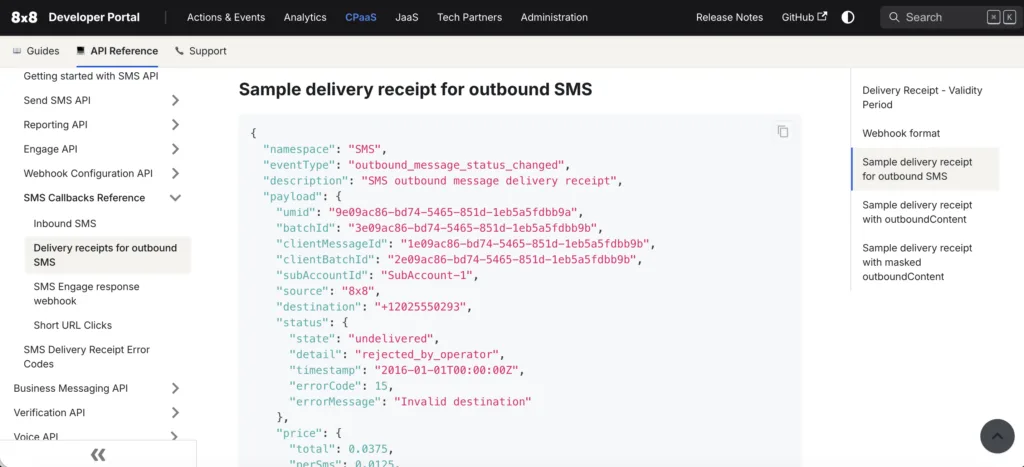
Sending a message is only half the job. Developers also need to see what happened next: delivery receipts, inbound events, and failures.
Without that visibility, a developer whose webhook fails is debugging blind. Event visibility is where support tickets are born.
Good providers document webhook behavior in full: retries, signatures, and payload schemas.
The difference between APIs and webhooks comes down to direction: one waiting to be called, the other pushing events to you.
Clear webhook behavior also cuts support load. Every event a developer can see for themselves is a ticket they never have to open.
Ask a vendor to show a failed webhook and how you would replay it. The answer tells you how much of the platform you will actually see.
At scale, a CPaaS API has to keep those events flowing without dropping any. Ask how a provider handles retries and replay before you commit.
Testing, Authentication, Rate Limits, and Support
Four practical concerns decide whether a prototype survives contact with production. Each is easy to overlook until it breaks a launch.
Safe Testing Before Launch
Without a sandbox or test credentials, developers experiment against production, risking real messages and real spend.
A safe testing path, with test numbers and clear guidance, is often what keeps an integration from stalling.
Authentication That Developers Trust
Confusing auth flows and unclear token scoping slow the very first step. Developers want scoped, revocable credentials they can manage with confidence.
The concern has grown as AI agents consume APIs, with 46% of developers citing credential leakage as a top worry, according to Postman’s 2025 State of the API report.
Rate Limits Without Surprises
Undocumented rate limits turn a working prototype into a broken launch. Developers want the limits stated up front, with clear headers and predictable back-off.
Good documentation states them plainly, so nobody discovers a ceiling during an incident.
Support That Speaks Developer
Support belongs on the same list. With developers already losing time to searching, fast and technically fluent help is a genuine differentiator, not a cost center.
The test is who answers. A first reply that restates the docs costs a day; one from someone who has built on the API closes the ticket.
How 8×8 Communication APIs Support the Developer Experience
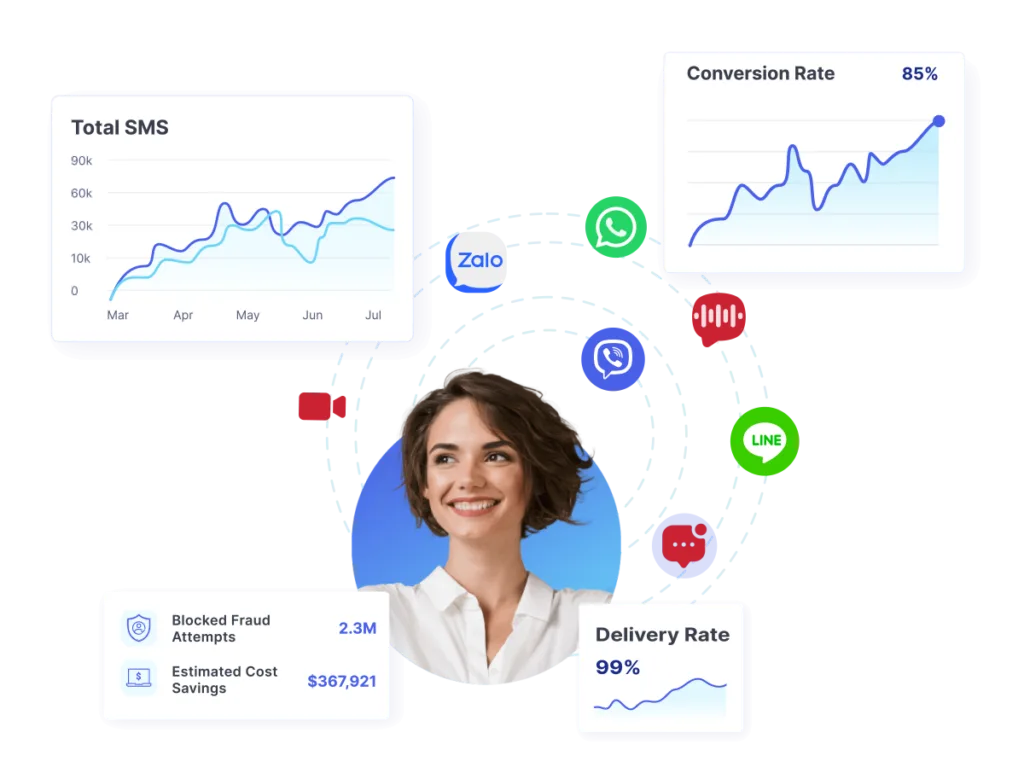
Those expectations work as a scorecard, and any vendor can be measured against them. Here is where 8×8 stands on each one. That matters because it is one platform rather than a stack you assemble yourself. Messaging, voice, video, verification, and fraud protection run on the same API, the same auth model, and the same published rate limits, instead of five vendor dashboards and five sets of docs to reconcile. A developer evaluating 8×8 isn’t choosing a feature list; they’re choosing how many integrations they’ll still be debugging a year from now.
The API Integrations range spans SMS, voice, video, number lookup, and the messaging apps that sit alongside them.
A separate Verification API covers one-time passcodes and mobile checks, for flows that need identity assurance rather than delivery.
The developer documentation lives at developer.8×8.com, with endpoints, code samples, and webhook setup guides in the same place.
Runnable samples matter more than the prose around them, since a developer’s first move is to copy one and see whether it works.
The webhook documentation is designed to show delivery events, signatures, and retry behavior, so evaluators can judge event visibility for themselves.
On testing, 8×8’s Developer Tools page documents API keys, webhook endpoints, and IP whitelisting, so a separate key keeps a first integration off the credential carrying live traffic.
Authentication is an ApiKey bearer token, and 8×8’s authentication documentation sets out how keys are created, named, disabled, and rotated from the Connect dashboard.
Rate limits are published rather than negotiated, so you can design against them before the first call.
For the SMS API, 8×8 documents a default of 1,800 requests per second per sub-account and 3,000 per IP address, with no daily quota.
Cross either, and the API returns a 429 with a Retry-After header, so back-off is a documented behavior rather than guesswork.
On support, ask how a technical question is routed, and how fast it reaches someone who has actually built on the API.
Regional reach is the last piece. The messaging apps in the range, WhatsApp, RCS, Viber for Business, Zalo, and LINE, are the ones that carry APAC and EMEA traffic.
Take a fintech developer in EMEA running a time-to-first-message test. They read the SMS and verification docs, send a message, and watch the delivery events land.
That first hour tells them more than any feature list. If it goes smoothly, the platform has earned a serious look.
Read More: Tips on Choosing a Communication APIs Partner
Choosing a Communication API You Can Trust
The best communication API feels like it was built by people who have shipped on top of bad docs at 2 a.m.
The DX ingredients covered here are not extras. Clear docs, event visibility, safe testing, sane auth, and honest rate limits are the product. With 8×8, you get all of it from one platform, one API, and one team to call when something breaks.
Start building with 8×8 Communication APIs – or talk to 8×8 to scope your integration.
FAQ – Communication API
- What is a communication API? A communication API is a set of endpoints that lets your software send and receive messages, calls, and verification events. Developers build it into their own apps.
- How does a communication API differ from a messaging API? A messaging API handles a specific channel like SMS or WhatsApp. A communication API is the broader set that can also cover voice, video, and verification.
- What makes a good developer experience for a communication API? Clear, accurate documentation, working code examples, visible webhook events, safe testing, scoped authentication, and rate limits stated up front. Fast, technical support helps too.
- What is a CPaaS API? A CPaaS API is the interface to a Communication Platform as a Service, letting developers add messaging, voice, and verification without building the underlying infrastructure.
- How do I evaluate a communication API before committing? Run a time-to-first-message test: how fast can a developer send a first message using only the docs? Then check webhooks, auth, rate limits, and market availability.