
Most retailers still treat WhatsApp as a one-way megaphone for discount blasts. That’s the fastest way to get muted.
A real WhatsApp marketing campaign does something better. It turns a single chat into a path from discovery to a finished sale. The audience is already there. WhatsApp passed 3 billion users in 2025, one of the few apps ever to reach that mark.
Shoppers don’t just chat there. They buy. A broadcast talks at people, while a campaign built on two-way messaging talks with them. That difference shows up in replies and orders.
The five steps below turn that reach into a repeatable campaign, from setup to measurement.
Step 1: Build Your WhatsApp Marketing Foundation
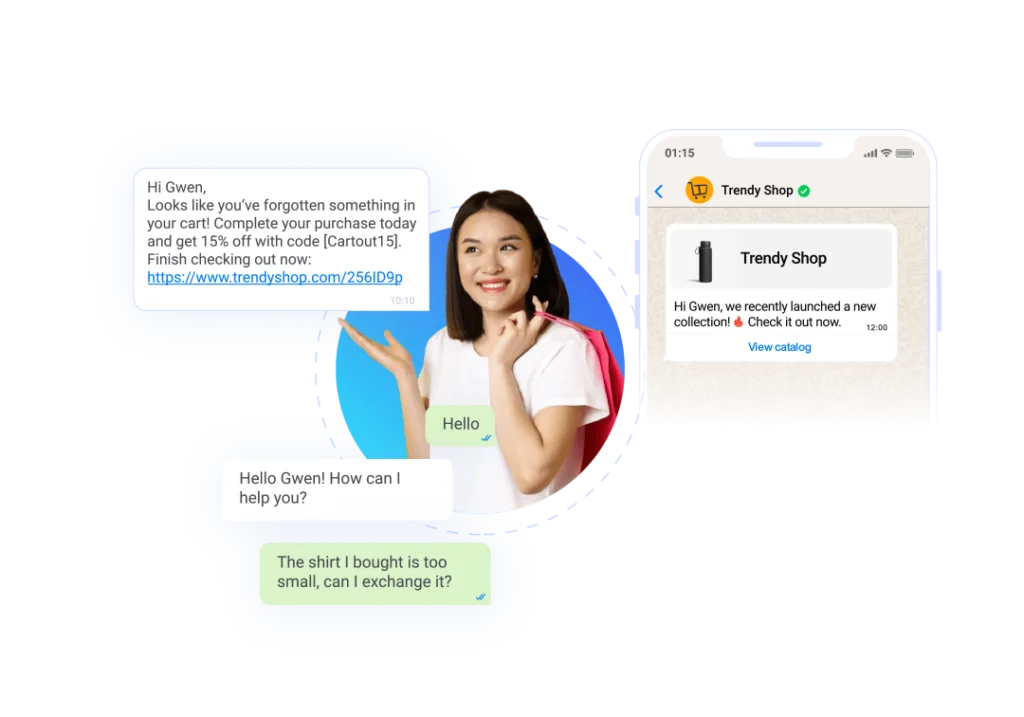
Start by checking the channel that fits the market. In Singapore, WhatsApp and Telegram lead, while LINE, Zalo, or KakaoTalk may matter more in other markets you reach.
Region shapes the payoff too. Juniper Research forecast in 2023 that Asia Pacific would take 75% of spend on conversational commerce by 2027, though more recent market-sizing estimates put the region’s share closer to 35-40%, still the largest of any region.
Let local demand decide where the budget goes. A channel that dominates one market can be an afterthought in the next.
Before any promotion goes out, you need a compliant base. Three pieces matter most at this stage.
- Opt-in: collect and record clear consent before you send marketing templates. In Singapore, this also carries Personal Data Protection Act (PDPA) duties, and in the EU, General Data Protection Regulation (GDPR) duties.
- Templates: submit each message template for approval, and keep it useful rather than pushy.
- Quality rating: watch your number’s quality signal, since a poor broadcast can throttle your daily messaging limits.
Quality matters more than volume. A number that falls to a low rating sends fewer messages per day, which caps the whole campaign. Warm up slowly instead. Send relevant templates to engaged customers before you scale the volume. Marketing templates are the workhorse of the channel, and they do not travel the same way as your service replies.
Promotional sends ride Meta’s Marketing Messages API, a dedicated endpoint that handles marketing templates only; service, utility, and authentication messages stay on the Cloud API. Meta is retiring marketing-template sends from the Cloud API by October 2027, so new campaigns should build on the Marketing Messages Lite API from the start.
Read more: Turning Interest into Action with WhatsApp-Powered Customer Journeys
Step 2: Set Up Your Catalogue and Product Messages
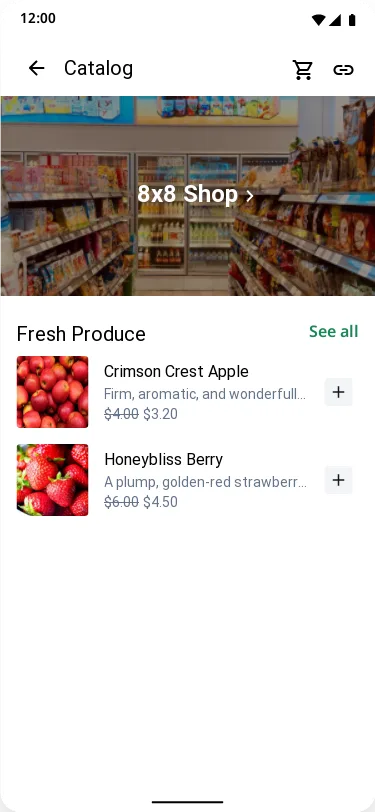
Now build the parts shoppers actually touch, starting with what they browse.
A WhatsApp catalogue lets shoppers browse inside the chat. Meta documents product messages as single items, multi-product lists, and an in-chat cart.
Product messages carry the image, the price, and a way to add to cart, so a shopper moves from browsing to a basket without leaving the thread. Shoppers who browse Shopee or Lazada every day will compare your chat catalogue against them, so keep it tight. A seasonal edit reads better in a chat window than a full store export nobody scrolls through.
Step 3: Add Flows and Wire the Triggers
WhatsApp Flows add structure to the conversation.
A Flow is an interactive form inside the chat. A shopper picks a size or shares delivery details without leaving WhatsApp.
Keep the Flow focused on the sale, whether that’s product selection, lead capture, or checkout details, not a long questionnaire.
For the seasonal sale, the catalogue shows the new collection, and the Flow captures size and delivery preferences in a few taps.
Then wire triggers to events. When a cart sits abandoned, a follow-up message can bring the shopper back to finish.
Map the triggers before you build them, and note that they don’t all carry the same template category. An abandoned-cart nudge is a Marketing template and needs an opt-out line, while a shipped or delivered update is Utility, tied to a real order, and priced differently. Each deserves a different message, category, and delay.
Read More: WhatsApp Flows with 8×8: Turning Conversations into Structured Customer Actions
Step 4: Drive Traffic With Click to WhatsApp Ads
A strong chat needs shoppers in it. Click-to-WhatsApp ads do exactly that.
These ads run on Facebook and Instagram. A tap opens a WhatsApp chat, not a landing page, so the conversation starts warm.
Target the ad to shoppers who resemble your best customers, then let the chat qualify them. Each ad-driven chat is a chance to earn an opt-in and grow the list you can message later.
The format is scaling. Meta reported US click-to-message ads revenue growing more than 50% year over year in the fourth quarter of 2025.
Step 5: Measure and Improve Each Campaign
A campaign you can’t measure is a campaign you can’t defend at budget time. Define the events that matter before launch, not after.
Track a few signals that prove the campaign worked:
- Add-to-cart: count when a shopper adds an item from the catalogue.
- Checkout starts: mark when a Flow moves toward payment or lead capture.
- Re-engagement: measure replies and sales that come from your follow-up messages.
Attribution is the hard part. Tie each sale back to the ad, template, or Flow that drove it, so you can prove return.
Then iterate. Cut the templates that underperform, keep the Flows that convert, and adjust timing by segment.
Watch the quality rating alongside the revenue numbers. A campaign that sells well but drives blocks and mutes is borrowing from next quarter’s reach.
Running WhatsApp Marketing on 8×8
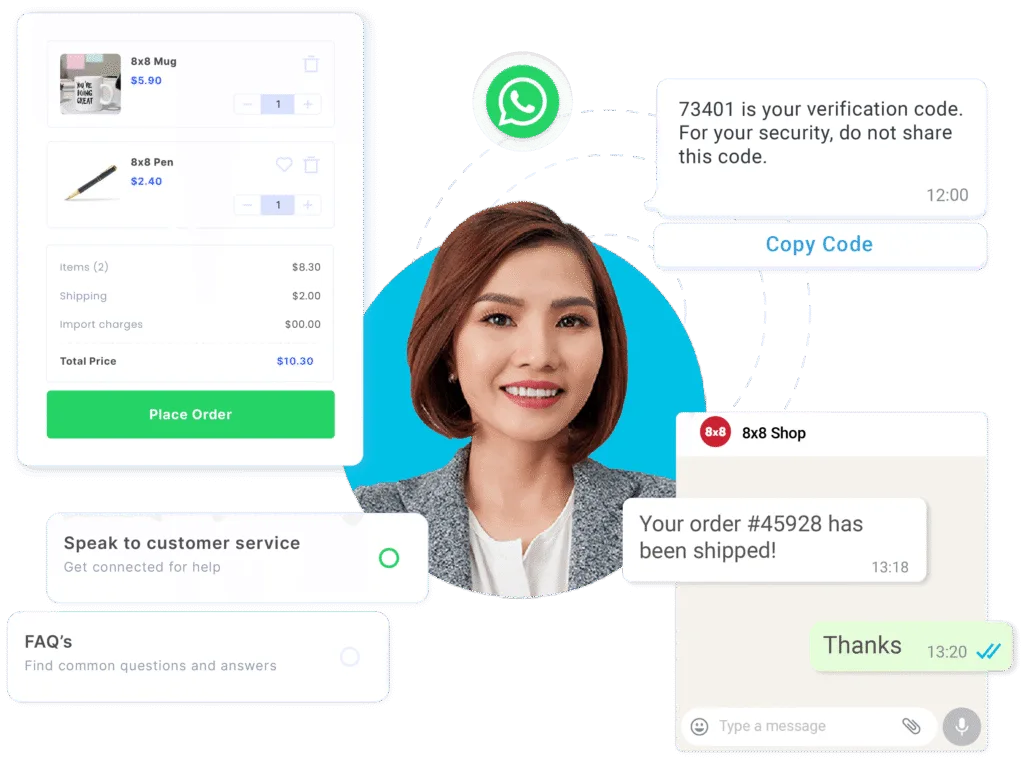
Each of these five steps needs a reliable provider to power it. Here’s how 8×8 handles it with WhatsApp Business API.
The sending account, the opt-in record, and template approvals sit in one place, under the number your customers already recognise. Stitching together a separate messaging provider, automation tool, and helpdesk means three bills, three support queues, and a sync job that can drift out of date; one account removes that seam.
Steps 1 and 2: Setting up the account and catalogue
The Marketing Messages API and Flows aren’t bolted-on extras. They’re part of the same WhatsApp Business API account 8×8 delivers to your team, and the catalogue runs on that account too, so in-chat browsing and the form a shopper fills in read from one customer record.
Step 3: Automating the Flow
8×8 Connect, 8×8’s no-code campaign platform, includes a visual Automation Builder that triggers follow-ups like abandoned-cart or post-purchase messages once integrations are set. That’s what turns a single promotion into a sequence, without anyone watching a dashboard for cart events, so a retailer runs those sequences without a developer on standby.
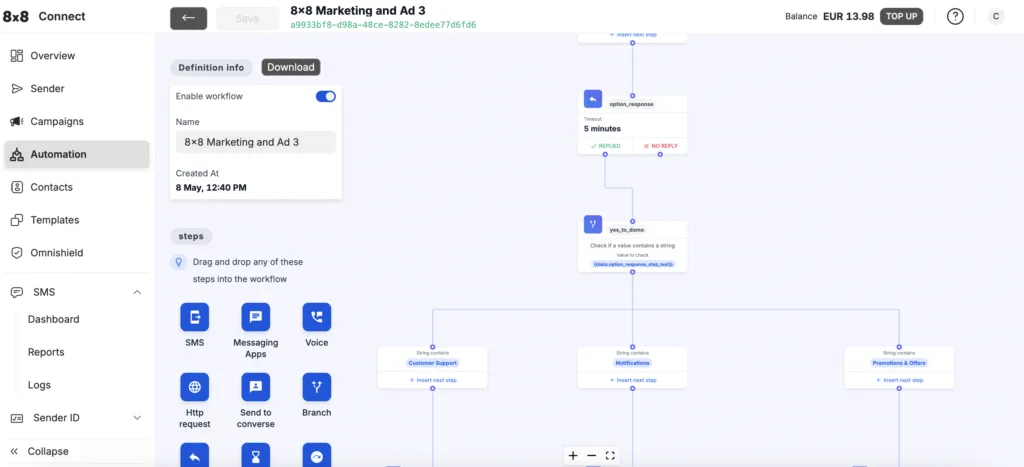
Step 4: Driving traffic
Click-to-WhatsApp ads land on the same number, so paid traffic arrives in the inbox your team already works in.
Step 5: Measuring and handing off
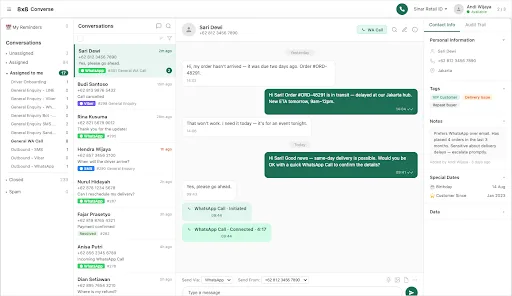
When a shopper needs a person, 8×8 Converse brings the WhatsApp thread into one inbox with the history in view. The same number, templates, and history carry across every step, so nothing resets as a shopper moves from ad to checkout, which is what makes it possible to tie a sale back to the ad, template, or Flow that drove it.
8×8 also maps these pieces to retail and ecommerce goals and wider marketing communications plans.
Turn Conversations Into Sales
Done well, WhatsApp marketing turns scattered promos into one connected path, from a first tap to a repeat purchase.
Retail teams get discovery, browsing, checkout, and re-engagement in the same thread customers open every day.
One number, one thread, and one record of every send is what ties a first ad to a repeat order. Talk to 8×8 to put your opt-in, catalogue, and Flows behind one WhatsApp campaign.
FAQ – WhatsApp Marketing
- What is WhatsApp marketing?WhatsApp marketing uses the WhatsApp Business API to reach opted-in customers with promotions, product browsing, and follow-ups. It works best as a connected campaign, not one-off blasts.
- Do I need opt-in for WhatsApp marketing messages?Yes. You must collect and record consent before sending marketing templates, and in Singapore that also brings PDPA obligations, as does GDPR in the EU.
- What are WhatsApp Flows used for in a campaign?Flows are interactive forms inside the chat for product selection, lead capture, or checkout details, so shoppers don’t bounce to a website.
- How do click-to-WhatsApp ads help retailers?They run on Facebook and Instagram and open a chat on tap, bringing new shoppers into a conversation and onto your opt-in list.
- Can I sell products inside WhatsApp?Yes. A WhatsApp catalogue supports single and multi-product messages plus an in-chat cart, though availability depends on your market and account type, so confirm eligibility with 8×8 before building your campaign around these features.