
Only 5-15% of recipients complete the average email survey. Sent through WhatsApp instead, the same survey typically sees completion rates of 45-60%.
The gap happens because WhatsApp surveys meet customers in the app they already check dozens of times a day, turning feedback from a chore into a quick conversation.
For businesses in Singapore, where customers use WhatsApp every day alongside apps such as Grab and Shopee, the channel shift from email to in-chat feedback collection is overdue. In Europe, WhatsApp penetration exceeds 80% in most markets, which shows how far an in-chat channel can reach.
Why Email Surveys Are Losing Ground
Email inboxes are crowded, filtered, and increasingly ignored for anything that isn’t urgent.
Open rates for marketing emails average around 20% across industries, and Apple’s Mail Privacy Protection makes even those numbers unreliable by inflating opens without reflecting actual engagement.
Timing is the deeper problem. Survey emails often arrive well after the interaction they ask about, once the details have already faded. A WhatsApp survey can reach the customer within minutes, while the experience is still fresh.
The responses that do come back tend to cluster at the extremes: very satisfied or very frustrated customers.
That response bias is well documented: with so few replies coming back, CX teams end up basing decisions on their loudest customers, not their most representative ones.
How WhatsApp Survey Rates Compare to Email
The performance gap between WhatsApp and email surveys is wide enough to change how businesses approach feedback collection entirely.
Industry benchmarks commonly cite a 98-99% open rate, with most read within 5 minutes of delivery, though the figure depends on recipients leaving read receipts turned on, a setting WhatsApp users can disable. WhatsApp surveys consistently deliver higher response and completion rates than email across global benchmarks.
The numbers reflect something deeper than channel preference. WhatsApp surveys arrive in a conversational context, so responding feels natural rather than transactional.
A customer who just received a delivery confirmation on WhatsApp is far more likely to answer three feedback questions in the same thread than to open a separate email later that day.
WhatsApp Flows: Structured Surveys Inside the Chat
WhatsApp Flows, introduced by Meta, let businesses build multi-screen, interactive forms directly inside WhatsApp. No external links, no browser redirects, no app downloads.
A Flow can include text fields, dropdowns, radio buttons, checkboxes, number fields, and date pickers. That makes it possible to run structured Customer Satisfaction (CSAT) scores, Net Promoter Score (NPS) ratings, and free-text feedback all within one conversational experience.
Best practice keeps Flows to 3-5 screens. Beyond that, completion rates start to drop as the survey begins to feel like a form rather than a conversation.
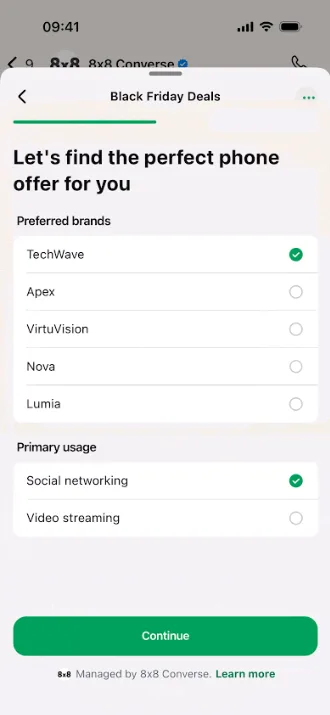
Each Flow captures structured data that routes directly to backend systems via webhooks, removing the manual export step that plagues email survey tools.
3 Survey Types That Work Best on WhatsApp
Not every survey format translates well to a messaging app. The three below are built for WhatsApp’s conversational rhythm, short, mobile-first, and designed to capture feedback in the moments that matter.
Post-Purchase CSAT
A 1-5 rating sent immediately after order delivery captures the experience while it’s fresh. One follow-up question for low scores gives the CX team actionable detail without survey fatigue. Retailers selling on Shopee, Lazada or their own sites can trigger this rating the moment a delivery is confirmed.
Sending immediately after the meaningful interaction lifts response rates 2-3x compared to delayed distribution. Sent right after delivery, the message also lands inside the 24-hour customer service window the order confirmation opened, so it qualifies as a free-form service message instead of a pre-approved template, with no Meta review step slowing deployment.
NPS After Key Milestones
NPS surveys work best after onboarding completion, subscription renewal, or a resolved support ticket.
The milestone triggers a WhatsApp Flow with a single 0-10 rating screen followed by an optional comment.
Detractor responses can route automatically to a live agent in the same chat thread, turning a negative score into a recovery conversation before the customer walks away.
Quick Polls for Product Decisions
Product teams use WhatsApp polls to test feature preferences, packaging options, or pricing tiers with existing customers.
A single-question poll with 3-4 reply buttons takes seconds to complete and generates hundreds of responses within hours.
Read More: How and Why to Send Surveys via Text
Where WhatsApp Surveys Hit Hardest in Singapore
WhatsApp suits high-volume, self-service sectors in particular. For example:
| Sector | Typical Customer Journey | Survey Strategy Implication |
| Banking (e.g. DBS, OCBC, UOB) | Frequent self-service and service requests | CSAT after a resolved request; keep consent and data-use wording clear |
| Telco (e.g. Singtel, StarHub, M1) | High-volume support and plan changes | NPS after a closed ticket or plan activation, with SMS fallback for customers who don’t use WhatsApp |
| E-commerce (Shopee, Lazada, Amazon SG) | Order, delivery, repeat purchase | Post-purchase CSAT right after delivery, in the same thread as the order confirmation |
| Mobile-first consumers (WhatsApp, Telegram) | Daily chat across several apps | WhatsApp-first feedback works, with SMS or email as a secondary option for customers who prefer other channels |
Channel mix varies by audience and sector; validate against your own customer data. Reference benchmarks: WA-CRM
PDPA and WhatsApp Surveys: What to Get Right
Collecting feedback via WhatsApp in Singapore triggers Personal Data Protection Act (PDPA) obligations that go beyond standard messaging consent. EU-focused guidance such as heyData’s guidance is a useful benchmark for good practice.
Survey-specific consent should be clearly documented, ideally as an explicit opt-in. A customer who opted into delivery notifications hasn’t necessarily consented to feedback collection
Purpose limitation applies too. Survey responses collected for CSAT measurement shouldn’t later be repurposed for marketing segmentation without fresh consent.
Data retention policies need to specify how long survey responses are stored and when they’re deleted. Holding feedback data indefinitely runs against the retention limitation obligation under the PDPA.
Getting this right protects the business legally and builds customer trust. Getting it wrong risks regulatory scrutiny and, more immediately, opt-outs that shrink the reachable audience.
How 8×8 Powers WhatsApp Surveys at Scale
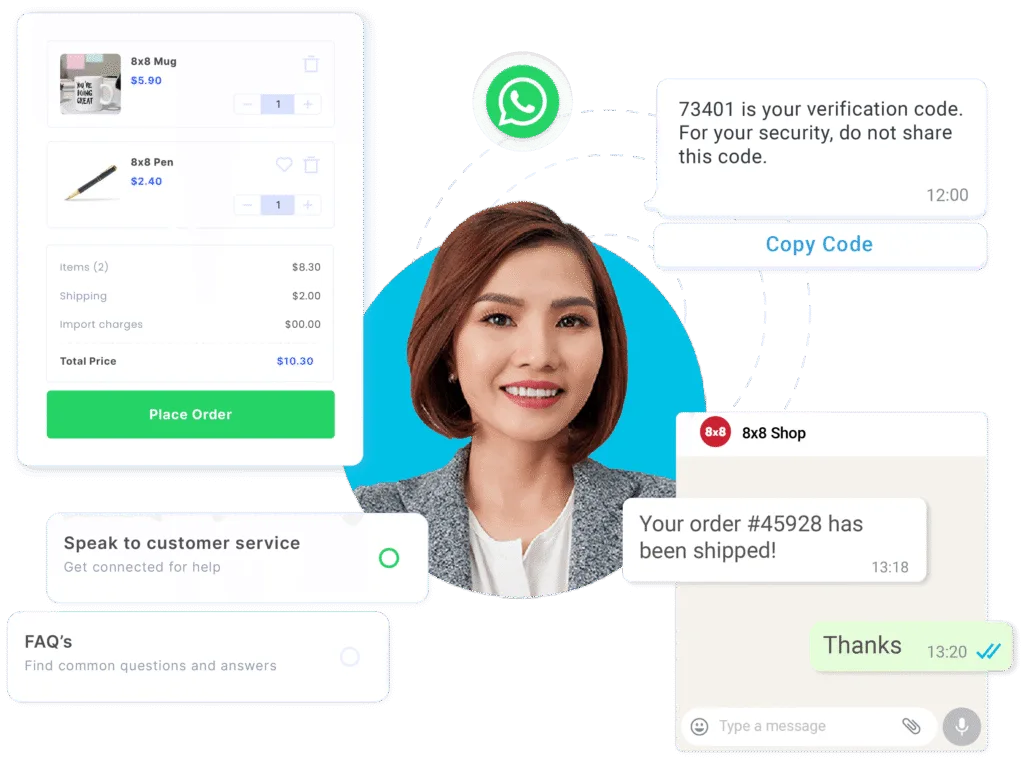
8×8’s WhatsApp Business API supports WhatsApp Flows natively, so businesses can build multi-screen survey experiences, including NPS ratings, CSAT scores, and free-text feedback, directly inside the chat.
Survey distribution doesn’t have to be manual. 8×8 Connect triggers surveys automatically after defined events: a completed purchase, a closed support ticket, or a confirmed delivery. Its Automation Builder handles the timing and routing without developer involvement.
That same automation routes detractor responses into a live agent handoff.
8×8 Converse gives agents visibility into the full conversation history, so the recovery call starts with context rather than a cold introduction.
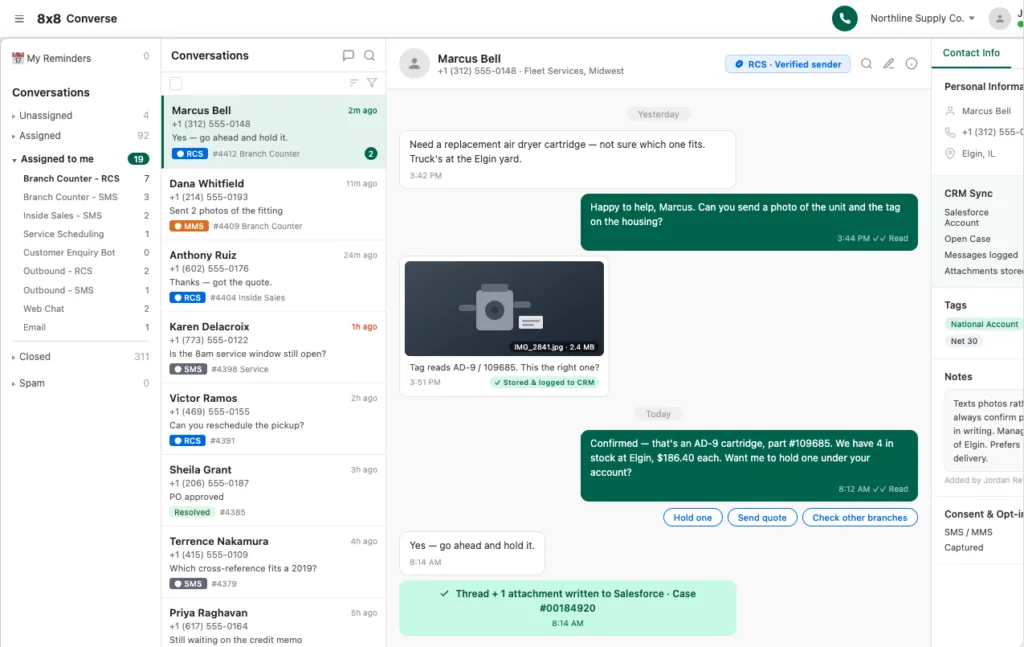
Survey data routes to CRM systems via webhooks, feeding structured CSAT and NPS scores directly into customer records for segmentation and trend analysis.
For businesses in markets where WhatsApp doesn’t reach every customer, 8×8’s platform falls back to SMS surveys automatically, keeping feedback collection consistent across the full customer base.
Read More: How to Use WhatsApp Business API: 5 Unique Use Cases
Turn Every Customer Interaction Into Actionable Feedback
Low survey response rates don’t just mean missing data. They mean CX teams are making decisions based on a fraction of their customer base, skewed toward the extremes.
WhatsApp surveys close that gap by collecting feedback at the moment it matters most, inside the app customers already use every day.
Higher completion rates mean larger sample sizes, more representative data, and faster action on emerging issues.
Give your CX team a feedback channel that customers actually respond to. Contact 8×8 to set up WhatsApp surveys for your business.
FAQ — WhatsApp Surveys
- What is a WhatsApp survey?A WhatsApp survey is a structured feedback form sent to customers inside a WhatsApp chat. It uses WhatsApp Flows to collect ratings, multiple-choice responses, and free-text comments without redirecting to external sites.
- What response rates can I expect from WhatsApp surveys?WhatsApp surveys typically achieve 45-60% completion rates, compared to 5-15% for email surveys. Open rates reach 98-99% with most messages read within minutes.
- Do I need PDPA consent for WhatsApp surveys in Singapore?Yes. Obtain and document clear consent specifically for survey communications. Consent for transactional messages does not automatically extend to feedback collection. Confirm current requirements with your legal team.
- Can WhatsApp surveys replace email surveys entirely?In sectors where most customers already use WhatsApp, it can serve as the primary survey channel. For segments that prefer other apps, a dual-channel approach with SMS or email fallback is recommended.
- How many questions should a WhatsApp survey include?Best practice is 3-5 screens per WhatsApp Flow. A single CSAT rating with one follow-up question for low scores delivers the highest completion rates.