
A customer calls your business to check on a delivery. Another needs to reschedule an appointment. A third calls your support line but isn’t sure which department can help.
You could have someone handle each call manually. Or you could build a voice workflow that plays the right message, collects the information you need and routes the customer to the next step.
That’s what a Voice API makes possible.
A Voice API in Australia lets you build calling capabilities into your applications and business workflows. You can use it to trigger outbound calls, send automated voice messages, create interactive voice response (IVR) menus and route calls based on customer input.
The point isn’t to automate every conversation. It’s to decide where a call can do the job more effectively, then connect that interaction to the systems your business already uses.
What Is a Voice API?
A Voice API is an application programming interface that lets your software programmatically initiate and control phone calls.
Instead of treating every call as a separate task, you can connect voice communications to events in your applications.
When a customer books an appointment, for example, your booking system could trigger a reminder call. When someone calls your support line, an IVR menu could direct them to the right team.
The application determines what needs to happen. The Voice API handles the instructions needed to initiate or manage the call.
A typical workflow looks like this:
Business application → Voice API → Telephone network → Customer
Depending on the API and its supported capabilities, your application can instruct the voice platform to:
- Initiate an outbound call
- Play a recorded audio message
- Convert written text into speech
- Ask a caller to press a number
- Use the caller’s response to determine the next step
- Connect two parties through a call-bridging workflow
- Return call status and interaction data to your application
These capabilities form the basis of programmable voice: using software and APIs to define what happens during a call and how that call fits into a wider business process.
How Does a Voice API Work?
A voice API workflow typically involves a few steps, from the initial application request to the final call outcome.
1. Your application triggers a call
An event in your system starts the workflow.
For example, your appointment platform identifies a customer booking that needs a reminder call.
2. Your application sends an API request
Your application sends instructions to the Voice API, including the destination number and the actions to execute during the call.
3. The voice platform initiates the call
The platform processes the request and initiates the call through the relevant voice infrastructure.
The call outcome will depend on factors such as whether the destination is reachable and whether the call connects successfully.
4. The call flow executes
Once the call is in progress, the platform carries out the actions you have defined.
A simple voice message might follow this sequence:
Initiate call → Play text-to-speech message → End call
An interactive flow could include additional steps:
Initiate call → Play menu → Capture keypad input → Send input to application → Continue the call flow
5. Webhooks return call events and outcomes
Your application may need to know whether the call was answered, what option the customer selected or how the session ended.
Webhooks send supported events and outcomes back to your application. Your system can then record the result, update a booking or determine whether another action is needed.
This is what makes programmable voice useful beyond one-way announcements. You can connect the call to the logic and data that already drive your business processes.
What Can a Programmable Voice API Do?
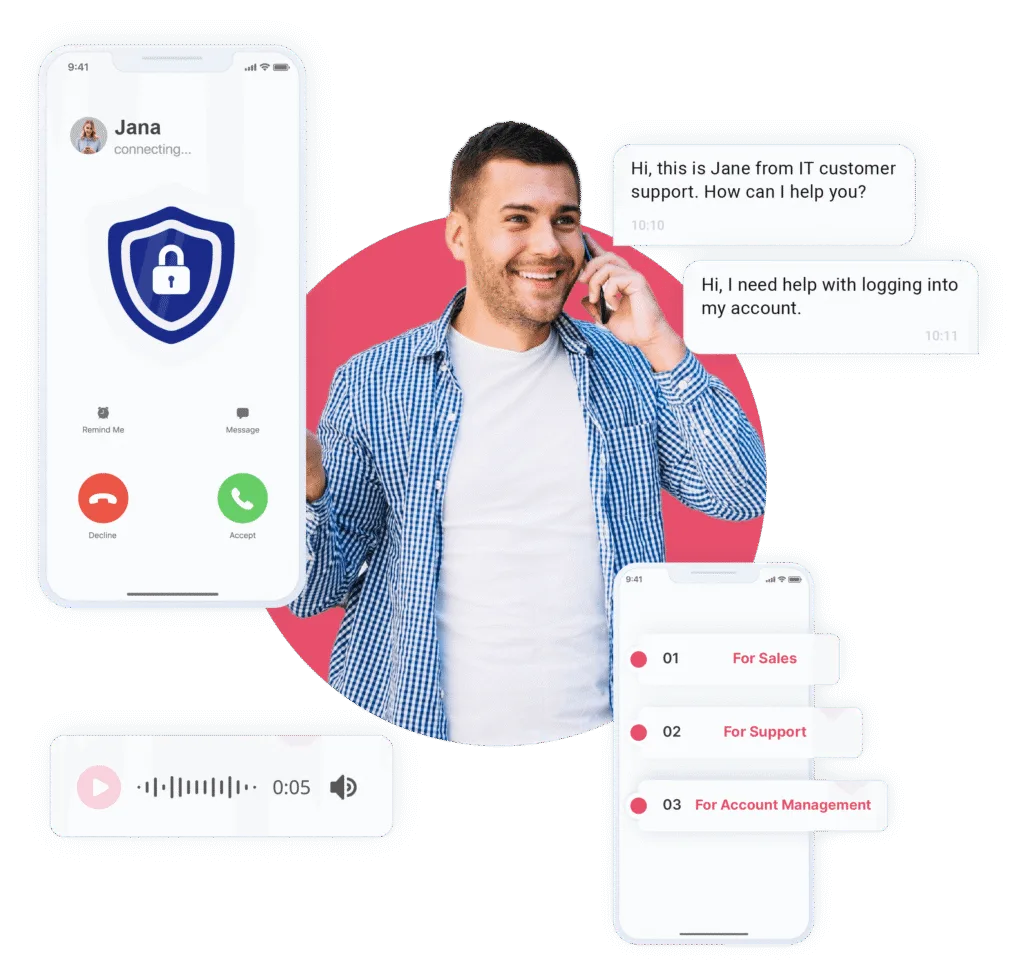
The capabilities of a programmable voice API depend on your provider and implementation. Common uses include IVR, automated voice messages, text-to-speech calls and programmable call handling.
While a voice API gives your application access to voice capabilities, programmable voice means you can control those capabilities through code. Instead of simply making or receiving calls, developers can define what happens before, during and after a call, such as when a call is triggered, what message is played, how a caller responds and where the call is routed.
1. Build interactive voice response (IVR) menus
IVR lets callers navigate an automated phone menu using keypad inputs or other supported interaction methods.
For example:
“Press 1 for sales, 2 for customer service, or 3 for billing.”
Your system can use the caller’s selection to determine where the call goes next. With backend integration, you can also build more dynamic flows based on business rules or customer information.
2. Send automated voice messages
Sometimes you need to tell a customer something without requiring a staff member to make the call personally.
A Voice API can initiate an outbound call and play a recorded message or a text-to-speech announcement. You could use this for appointment reminders, delivery updates, service notifications or payment reminders.
For example, when an order reaches a particular stage, your system could trigger a call to let the customer know that delivery arrangements need their attention.
3. Turn written information into spoken messages
Text-to-speech (TTS) converts text into spoken audio. It’s useful when your message needs to change depending on the customer or event.
Rather than recording a separate audio file for every possible appointment time, your application could generate a message such as:
“Your appointment is tomorrow at 3 PM.”
Your system supplies the relevant details, and the voice platform converts the text into speech using a supported voice profile.
8×8 CPaaS’ voice solutions include text-to-speech capabilities in 45 local languages, allowing you to generate customer-specific reminders, alerts and instructions without recording a separate audio file for every message.
4. Trigger calls from business events
You can also connect voice calls to events in your existing systems.
For example, your logistics platform could trigger an outbound call when a delivery needs additional instructions. A customer-service application could initiate a callback when an agent becomes available.
The workflow depends on your requirements and the actions supported by the API. The key is that a call can be triggered by a business event instead of relying on someone to remember to make it.
5. Connect callers through programmable call flows
A Voice API can also control what happens after a call begins.
Depending on the provider’s capabilities, you can build workflows that collect keypad input, make routing decisions, connect two parties or send interaction events back to your application.
This is useful when you need more than a one-way announcement. You can build a call that responds to customer input and connects that response to the next step in your process.
8×8 CPaaS provides API documentation and developer resources to help integrate programmable voice into applications and customer workflows, rather than requiring teams to build voice infrastructure from scratch.
See Infographic: From Call to Connection: Smarter Voice Experiences with 8×8
What Are Common Voice API Use Cases in Australia?
Voice APIs can support different workflows across industries. The specific implementation depends on your business process, customer needs and applicable requirements.
-
-
Financial services
Financial services can use programmable voice for service reminders, customer notifications and automated call-routing workflows.
For example, an IVR could direct callers to the right team for a billing enquiry, while an automated voice message could deliver a relevant service reminder. Financial institutions should assess each use case against their regulatory obligations and internal controls.
-
Healthcare
Clinics and healthcare providers can use automated calls for appointment reminders, service information and call routing.
A reminder call could play the appointment details, while an IVR menu could let callers choose whether they need help with an existing booking or another enquiry.
-
Logistics and delivery
Delivery businesses often need to communicate when an order requires attention.
A voice workflow could trigger a call when a delivery needs further instructions, or connect a customer with the relevant party through a call-bridging process.
-
Retail and F&B
Retailers and F&B businesses can use voice for reservation-related communications, order updates and customer-service routing.
For example, an IVR could direct customers to the right outlet or department instead of requiring staff to answer and transfer every call manually.
-
Travel and hospitality
Travel and hospitality businesses can use voice for booking-related notifications, service information and customer-support workflows.
Where customers need to speak with someone, programmable call routing can help direct them to the relevant team.
-
Government and public services
Public-service organisations can use automated voice systems to provide information, guide callers through service menus and route enquiries.
The workflow should be designed around the needs of the service and the requirements that apply to the organisation.
-
When Should You Use Voice Instead of SMS?
Voice and SMS solve different communication needs. The right choice depends on what you need your customer to do.
SMS works well when you need to send information that customers can read, save or revisit. Voice is more useful when they need to hear instructions, interact with a phone menu or speak to someone.
| Use case | SMS | Voice |
| Appointment reminders | Send appointment details that customers can save and refer back to | Deliver spoken reminders and allow customers to respond through a call flow |
| OTPs and verification | Send one-time codes by text | Read verification codes aloud through a text-to-speech call |
| Urgent alerts | Send short, time-sensitive updates | Deliver spoken alerts when the information needs immediate attention |
| Customer enquiries | Share information, links or instructions that customers can read | Guide customers through IVR menus or connect them to an agent |
| Detailed instructions | Provide written steps that customers can revisit | Talk customers through instructions or let them interact using their keypad |
| Two-way communication | Allow customers to reply by text | Enable customers to speak with an agent or connect two parties through a call |
| Customers on landlines | Not suitable for customers without SMS access | Reach customers through voice calls, including landlines |
Consider an appointment reminder.
An SMS could tell your customer when the appointment is and include a link to reschedule. If you need the customer to hear a message and respond through a phone menu, an automated voice call may be more appropriate.
Neither channel is automatically better for urgent communications. An SMS can deliver the information in a format the customer can scan, while a call can draw attention to a message that needs a spoken response.
You can also use both channels within the same customer journey. The important thing is to choose the channel based on the task, not simply because it’s available.
What is IVR, and How Does It Work?
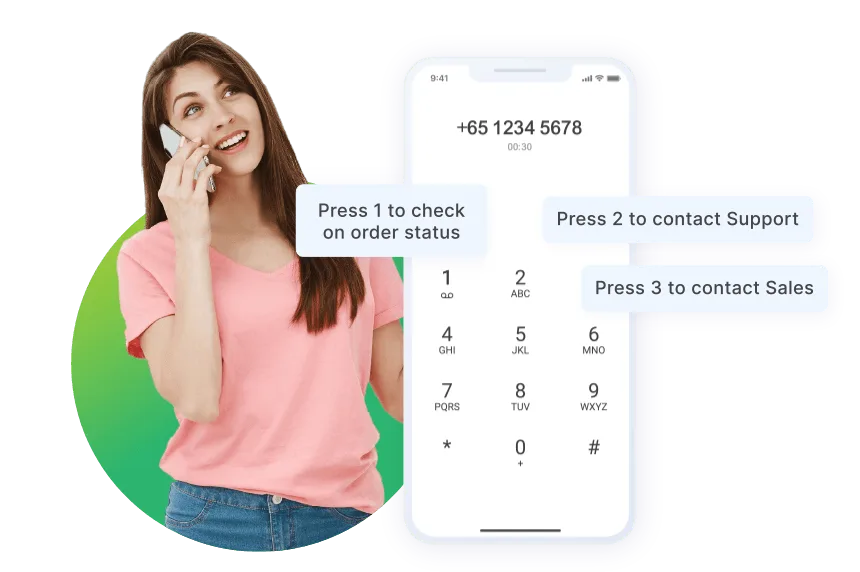
Interactive Voice Response (IVR) is an automated telephone system that lets callers interact with voice prompts and keypad inputs.
You’ve probably encountered one when calling a bank, service provider or customer support line. Instead of waiting for someone to answer and transfer your call, you select an option and the system directs you accordingly.
A basic IVR flow looks like this:
Customer calls → IVR plays a menu → Customer selects an option → System processes the selection → Call is routed
For example, your business could use an IVR menu to separate sales enquiries from billing questions and technical support requests.
The caller’s selection tells the system what they need. Depending on your setup, the call can then be routed to the appropriate destination or passed to your application for further processing.
What can an IVR system do?
A simple IVR might offer a few menu options. A more advanced implementation can connect those choices to your business systems.
Depending on the platform and integration, you could use IVR to:
- Create multi-level menus: Let callers narrow down their enquiry through a series of options.
- Capture keypad input: Collect responses using dual-tone multi-frequency (DTMF) signals.
- Play spoken prompts: Use recorded audio or text-to-speech to guide callers.
- Route calls based on selections: Direct callers to the relevant department or workflow.
- Connect to backend systems: Use application logic to determine what should happen next.
- Return interaction data: Send caller selections and call outcomes to your application through webhooks.
For example, a customer calling your support line could select billing, then choose whether they want to make a payment or query a charge. Your system could use that selection to route the call or trigger the next step.
IVR works best when the options are clear and the caller can reach the right destination without navigating an unnecessarily long menu. The goal is to make the next step easier, not to add more steps before a customer can get help.
See Ebook: Modern Voice Self-Service: The Cloud IVR Advantage
How Voice API Routing to Telstra, Optus and Vodafone Works in Australia
When a customer places or receives a call through a voice API, the call does not travel directly from an application to a mobile phone. The API platform connects the application to the telephone network, then routes the call toward the network serving the destination number, such as Telstra, Optus or Vodafone.
In Australia, operators interconnect their voice networks using agreed technical standards, and telecommunications rules fall under the ACMA. SIP (Session Initiation Protocol) is widely used as the signalling standard at these interconnection points, alongside standards for carrying the audio. Confirm current caller ID and number-use requirements with your provider.
A typical API-driven outbound call follows this path:
- Your application requests a call. It sends the API provider the destination number, a permitted caller ID and instructions for what should happen—for example, play a message, connect an agent or run an IVR flow.
- The platform prepares the call. It checks the request and applies the call flow and routing rules configured for the account.
- The call is handed to a carrier. The voice provider sends call-setup information over a carrier connection. At a network interconnection point, SIP messages establish, modify and end the call; the audio travels separately as media.
- The destination network delivers it. The call reaches the operator currently serving the number, which then signals the recipient’s phone.
- Call events return to the application. Depending on the API, the platform can report whether the call was answered, busy, unanswered or failed. Voice API documentation, for example, typically describes APIs for initiating outgoing calls, as well as webhooks to manage call notifications and end-of-call details.
A voice API provider may connect to one or more carriers or telecommunications partners to reach Australian numbers. If the provider offers reach across Telstra, Optus and Vodafone, it means calls can be carried through routes that reach subscribers on those networks.
It does not, by itself, establish that the API provider has a separate direct connection to each operator. The exact interconnection arrangement depends on the individual provider.
It also does not necessarily mean that your business can choose a specific mobile operator for every call. The provider may select the route based on its network arrangements and configuration.
Ask your voice API provider:
- Which local number types and destinations are supported?
- Does your chosen caller ID need to be registered or whitelisted?
- How are calls routed, and what happens when a destination cannot be reached?
- Can you tell whether a call was initiated, answered, completed or failed?
- Can the application determine when a failed call should be retried?
- Who can help you troubleshoot routing or delivery issues?
These details matter when you’re moving from a proof of concept to a live workflow. An API may support the call actions you need, but you still need to confirm that the underlying voice service fits your Australian use case.
How Can You Build Programmable Voice with 8×8 CPaaS?
With 8×8 CPaaS, you can do more than automate phone calls. You can build tailored voice experiences into your applications and customer workflows, from multilingual notifications and interactive IVR menus to in-app calling and privacy-conscious call connections.
Flexible APIs and tools let you manage calls, route interactions and monitor activity, so your voice workflows fit your business and your customers.
Capabilities include:
-
- 8×8’s Number Masking: This replaces your agents’ real numbers with a masked one on outbound calls, so a courier or support rep can call a customer without either side seeing the other’s personal number.
- Voice Messaging: Automate outbound voice notifications and payment or appointment reminders using text-to-speech, and reach customers at scale.
- In-app VoIP calling: Build voice calling directly into your app, so a marketplace or ride-hailing platform can connect two users without either one needing to dial out or exchange a phone number.
- Local, dedicated support: Work with a dedicated Account Manager and access 24/7 customer and technical support from local offices, so a routing issue gets resolved in hours rather than sitting in a generic ticket queue.
- Transparent pricing: Choose an all-inclusive monthly fee with a one-time setup fee, so your IVR or call-routing costs stay predictable as call volume grows.
- Enterprise integrations: Connect APIs, SDKs and webhooks with your existing contact centre, CRM and other business systems, so a call outcome updates the same record your sales or support team already works from.
- Scalable infrastructure: Support growing call volumes with high availability, adaptable architecture and global reach, so peak periods like a product launch or seasonal rush don’t overload your routing.
- Reliable network quality: 8×8 runs its own end-to-end network with direct carrier connections, giving you tight control over routing, quality and uptime for dependable, low-latency delivery.
- Global reach, local compliance: Available in 190+ countries, with in-country numbers, regional data centres and built-in support for GDPR, HIPAA and local data protection requirements such as the Privacy Act 1988.
Whether you want to streamline customer service, deliver timely alerts or create more seamless in-app experiences, 8×8 CPaaS gives you the building blocks to make voice a more integrated part of your customer communications.
Talk to our experts to explore how a Voice API in Australia can support your business.
Frequently Asked Questions
- What is a Voice API?A Voice API is a programmable interface that allows applications to initiate and control voice calls. It can be used for functions such as outbound calls, IVR, text-to-speech, voice messaging and call routing.
- What is programmable voice?Programmable voice refers to using APIs and software logic to control voice calls. Businesses can build calling capabilities into applications and workflows instead of handling every call manually.
- What is voice broadcasting?Voice broadcasting generally refers to sending automated voice messages to multiple recipients. A business can use text-to-speech or pre-recorded audio to deliver the message through outbound calls.
- What is a text-to-speech call?A text-to-speech call converts written text into spoken audio and plays it to the recipient during an automated call. This allows businesses to generate dynamic messages without recording every possible variation.
- Can a Voice API connect to Telstra, Optus and Vodafone numbers?A Voice API can reach supported Australian telephone destinations through its underlying carrier connectivity. However, businesses should confirm the provider’s current destination coverage, routing arrangements and supported number types rather than assuming that every provider has identical connectivity to every Australian operator.
- Is Voice API the same as VoIP?No. VoIP describes the transmission of voice over IP networks, while a Voice API provides programmable controls that applications can use to initiate or manage voice interactions.
- Can Voice API integrate with CRM systems?Yes, where the provider supports the required APIs, webhooks or integration mechanisms. This allows voice interactions to be triggered by CRM events and call outcomes to be returned to business systems.